Description
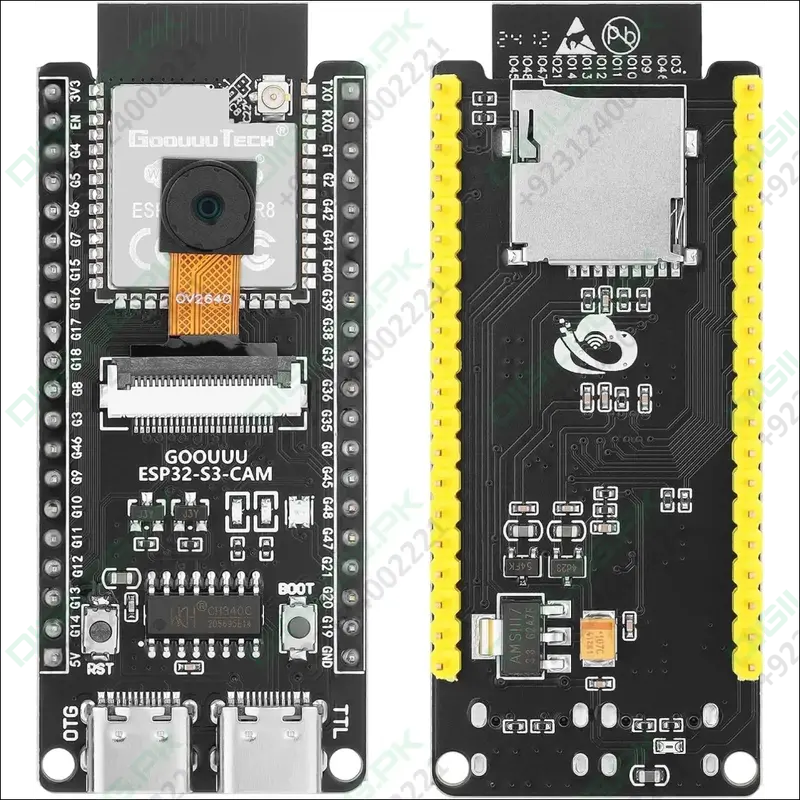
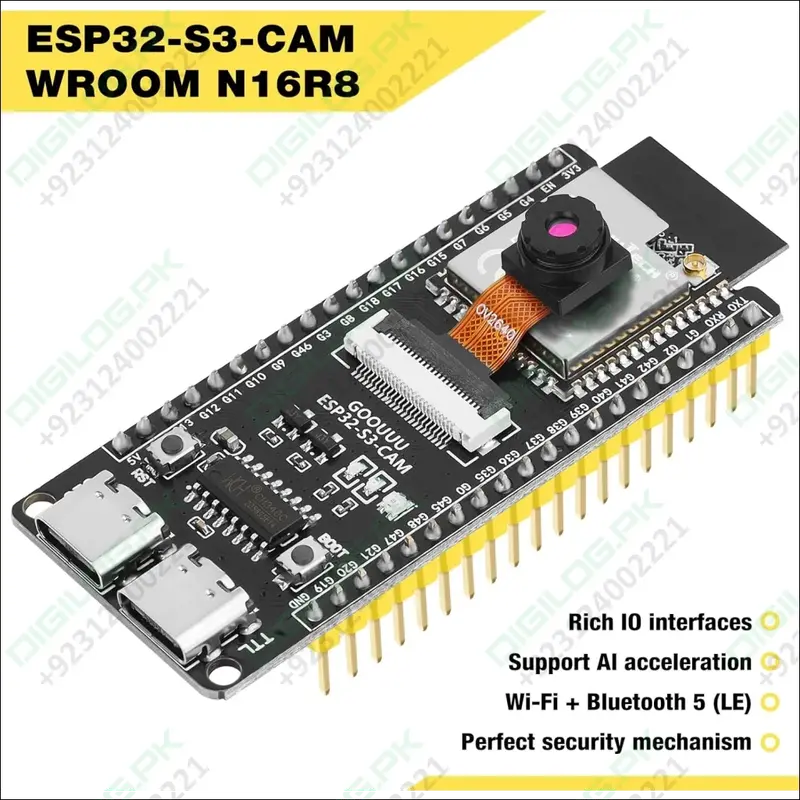
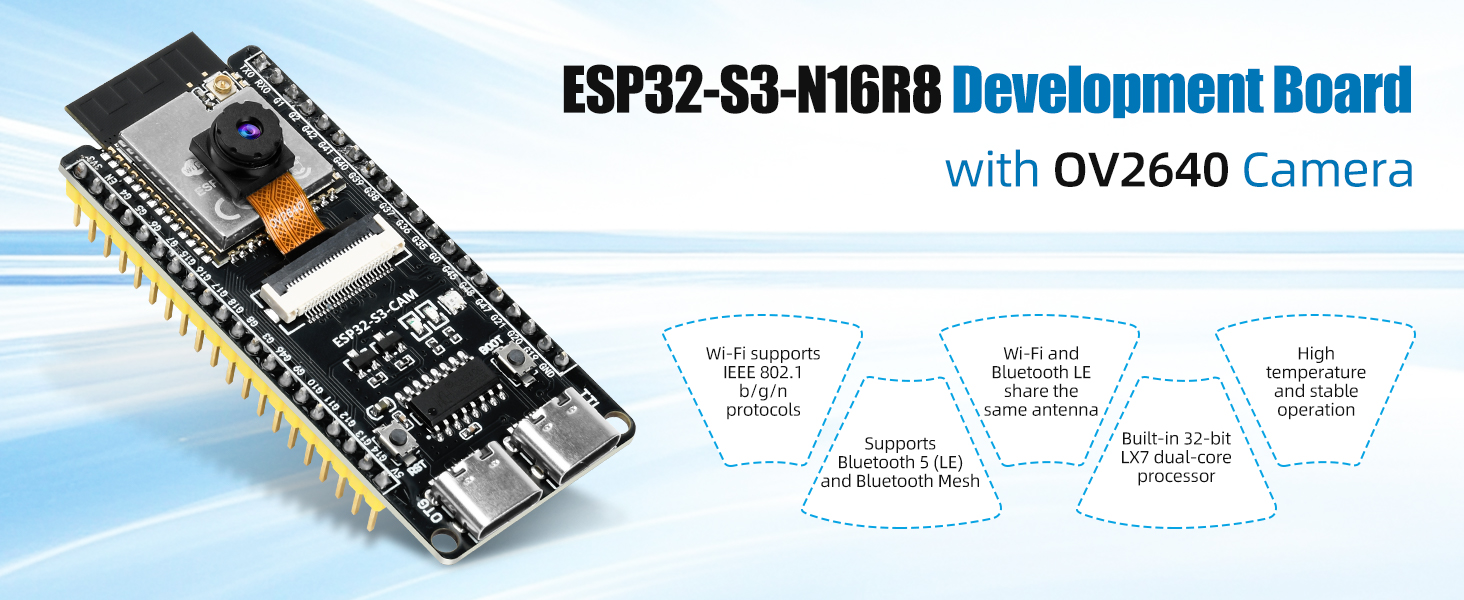
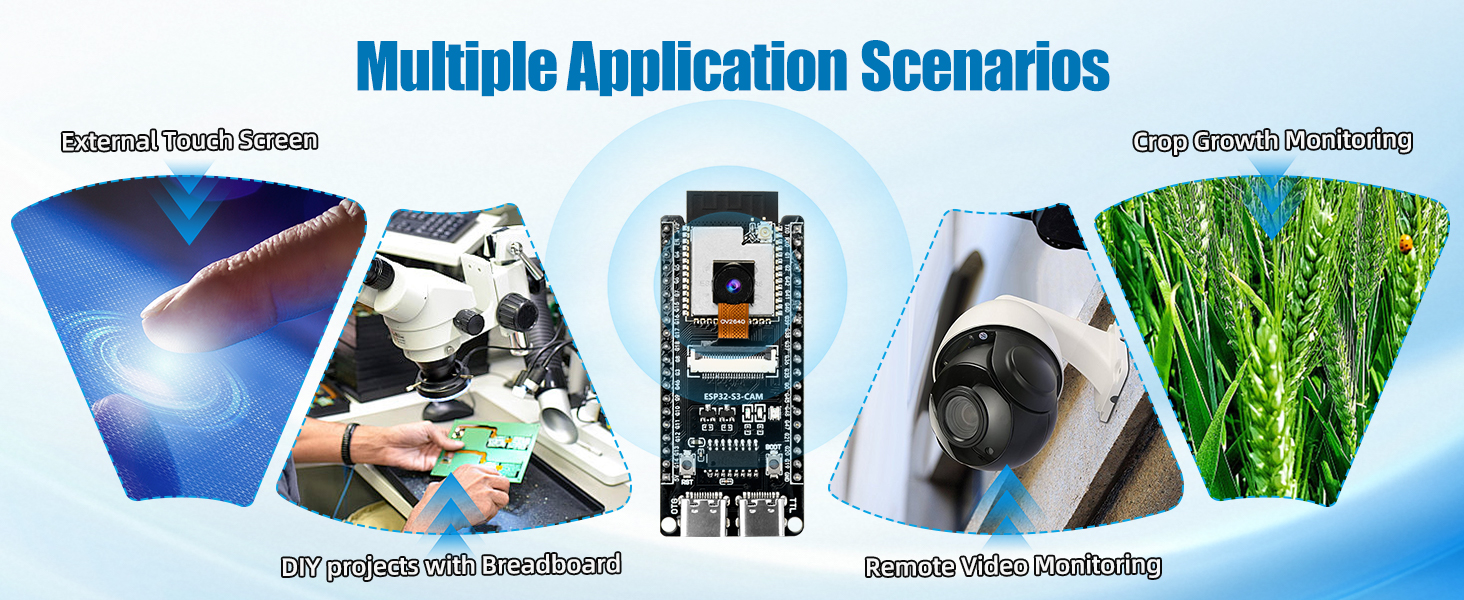
The ESP32-S3-WROOM-N16R8 Development Board features a powerful dual-core 32-bit LX7 processor designed for AI computing, image recognition, and IoT applications. With an integrated 2MP OV2640 camera, dual Type-C ports, and shared Wi-Fi/Bluetooth antenna, it’s an excellent choice for AI vision projects, robotics, and smart devices.
Example Code
////////////////////////////////////////////////
#include “esp_camera.h”
#include <WiFi.h>
#include “esp_http_server.h”
// Replace with your network credentials
const char* ssid = “Digilog”;// Router ssid name or wifi name of your home/office
const char* password = “DIGILOGPK”;// password of your home/office wifi
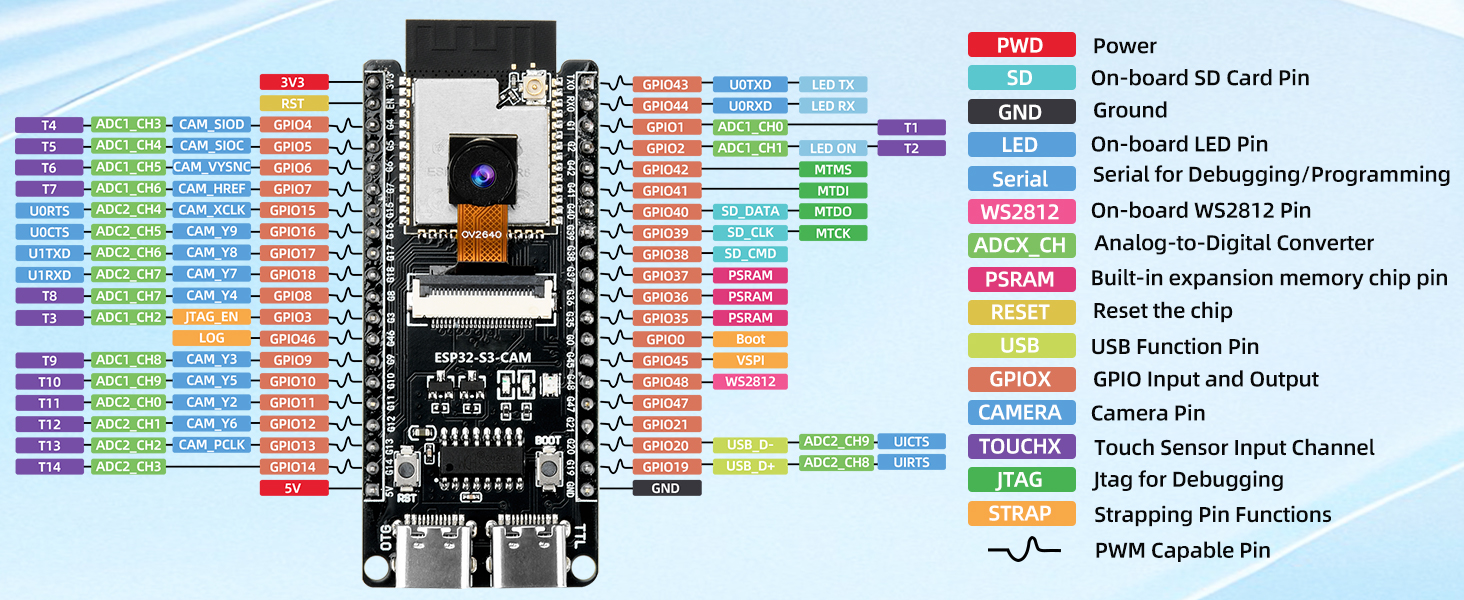
// GOOUUU ESP32-S3 CAM N16R8 pin configuration
#define PWDN_GPIO_NUM -1
#define RESET_GPIO_NUM -1
#define XCLK_GPIO_NUM 15
#define SIOD_GPIO_NUM 4
#define SIOC_GPIO_NUM 5
#define Y9_GPIO_NUM 16
#define Y8_GPIO_NUM 17
#define Y7_GPIO_NUM 18
#define Y6_GPIO_NUM 12
#define Y5_GPIO_NUM 10
#define Y4_GPIO_NUM 8
#define Y3_GPIO_NUM 9
#define Y2_GPIO_NUM 11
#define VSYNC_GPIO_NUM 6
#define HREF_GPIO_NUM 7
#define PCLK_GPIO_NUM 13
#define LED_GPIO_NUM 21
httpd_handle_t camera_httpd = NULL;
// Control variables
int jpeg_quality = 12;
int frame_delay = 30;
framesize_t frame_size = FRAMESIZE_VGA;
static esp_err_t capture_handler(httpd_req_t *req) {
camera_fb_t * fb = NULL;
digitalWrite(LED_GPIO_NUM, HIGH);
fb = esp_camera_fb_get();
if (!fb) {
digitalWrite(LED_GPIO_NUM, LOW);
httpd_resp_send_500(req);
return ESP_FAIL;
}
httpd_resp_set_type(req, “image/jpeg”);
httpd_resp_send(req, (const char *)fb->buf, fb->len);
esp_camera_fb_return(fb);
digitalWrite(LED_GPIO_NUM, LOW);
return ESP_OK;
}
static esp_err_t stream_handler(httpd_req_t *req) {
camera_fb_t * fb = NULL;
esp_err_t res = ESP_OK;
char part_buf[64];
httpd_resp_set_type(req, “multipart/x-mixed-replace;boundary=frame”);
while(true) {
fb = esp_camera_fb_get();
if (!fb) {
Serial.println(“Camera capture failed”);
res = ESP_FAIL;
break;
}
size_t hlen = snprintf(part_buf, 64, “Content-Type: image/jpegrnContent-Length: %urnrn”, fb->len);
res = httpd_resp_send_chunk(req, “–framern”, 8);
res = httpd_resp_send_chunk(req, part_buf, hlen);
res = httpd_resp_send_chunk(req, (const char *)fb->buf, fb->len);
res = httpd_resp_send_chunk(req, “rn”, 2);
esp_camera_fb_return(fb);
if (res != ESP_OK) break;
vTaskDelay(frame_delay / portTICK_PERIOD_MS);
}
return res;
}
static esp_err_t index_handler(httpd_req_t *req) {
const char* html = R”rawliteral(
<!DOCTYPE html>
<html>
<head><title>ESP32-CAM Control</title>
<style>
body{font-family:Arial;margin:20px;}
.controls{margin:20px 0;padding:10px;border:1px solid #ccc;}
button{padding:8px 15px;margin:5px;background:#007bff;color:white;border:none;cursor:pointer;}
button:hover{background:#0056b3;}
#stream{max-width:100%;border:1px solid #333;}
</style>
</head>
<body>
<h1>ESP32-CAM Live Stream</h1>
<div >
<h3>Quality Control</h3>
<button onclick=”setQuality(5)”>High Quality</button>
<button onclick=”setQuality(12)”>Medium Quality</button>
<button onclick=”setQuality(20)”>Low Quality</button>
</div>
<div >
<h3>Speed Control</h3>
<button onclick=”setSpeed(10)”>Fast (10ms)</button>
<button onclick=”setSpeed(30)”>Normal (30ms)</button>
<button onclick=”setSpeed(50)”>Slow (50ms)</button>
</div>
<div >
<h3>Resolution</h3>
<button onclick=”setResolution(6)”>VGA (640×480)</button>
<button onclick=”setResolution(5)”>QVGA (320×240)</button>
<button onclick=”setResolution(8)”>SVGA (800×600)</button>
</div>
<img src=”/stream”>
<script>
function setQuality(q) {
fetch(‘/control?quality=’ + q);
}
function setSpeed(s) {
fetch(‘/control?speed=’ + s);
}
function setResolution(r) {
fetch(‘/control?resolution=’ + r).then(() => {
document.getElementById(‘stream’).src = ‘/stream?’ + Date.now();
});
}
</script>
</body>
</html>
)rawliteral”;
httpd_resp_set_type(req, “text/html”);
httpd_resp_send(req, html, strlen(html));
return ESP_OK;
}
static esp_err_t control_handler(httpd_req_t *req) {
char query[200];
if (httpd_req_get_url_query_str(req, query, sizeof(query)) == ESP_OK) {
char param[32];
if (httpd_query_key_value(query, “quality”, param, sizeof(param)) == ESP_OK) {
jpeg_quality = atoi(param);
sensor_t * s = esp_camera_sensor_get();
s->set_quality(s, jpeg_quality);
}
if (httpd_query_key_value(query, “speed”, param, sizeof(param)) == ESP_OK) {
frame_delay = atoi(param);
}
if (httpd_query_key_value(query, “resolution”, param, sizeof(param)) == ESP_OK) {
framesize_t new_size = (framesize_t)atoi(param);
sensor_t * s = esp_camera_sensor_get();
s->set_framesize(s, new_size);
}
}
httpd_resp_send(req, “OK”, 2);
return ESP_OK;
}
void setup() {
Serial.begin(115200);
pinMode(LED_GPIO_NUM, OUTPUT);
digitalWrite(LED_GPIO_NUM, LOW);
camera_config_t config;
config.ledc_channel = LEDC_CHANNEL_0;
config.ledc_timer = LEDC_TIMER_0;
config.pin_d0 = Y2_GPIO_NUM;
config.pin_d1 = Y3_GPIO_NUM;
config.pin_d2 = Y4_GPIO_NUM;
config.pin_d3 = Y5_GPIO_NUM;
config.pin_d4 = Y6_GPIO_NUM;
config.pin_d5 = Y7_GPIO_NUM;
config.pin_d6 = Y8_GPIO_NUM;
config.pin_d7 = Y9_GPIO_NUM;
config.pin_xclk = XCLK_GPIO_NUM;
config.pin_pclk = PCLK_GPIO_NUM;
config.pin_vsync = VSYNC_GPIO_NUM;
config.pin_href = HREF_GPIO_NUM;
config.pin_sscb_sda = SIOD_GPIO_NUM;
config.pin_sscb_scl = SIOC_GPIO_NUM;
config.pin_pwdn = PWDN_GPIO_NUM;
config.pin_reset = RESET_GPIO_NUM;
config.xclk_freq_hz = 20000000;
config.pixel_format = PIXFORMAT_JPEG;
config.frame_size = frame_size;
config.jpeg_quality = jpeg_quality;
config.fb_count = 1;
esp_err_t err = esp_camera_init(&config);
if (err != ESP_OK) {
Serial.printf(“Camera init failed with error 0x%x”, err);
return;
}
WiFi.begin(ssid, password);
while (WiFi.status() != WL_CONNECTED) {
delay(1000);
Serial.println(“Connecting to WiFi…”);
}
Serial.println(“WiFi connected”);
Serial.print(“Camera Ready! Use ‘http://”);
Serial.print(WiFi.localIP());
Serial.println(“‘ to connect”);
httpd_config_t config_httpd = HTTPD_DEFAULT_CONFIG();
httpd_uri_t index_uri = {.uri = “/”, .method = HTTP_GET, .handler = index_handler, .user_ctx = NULL};
httpd_uri_t capture_uri = {.uri = “/capture”, .method = HTTP_GET, .handler = capture_handler, .user_ctx = NULL};
httpd_uri_t stream_uri = {.uri = “/stream”, .method = HTTP_GET, .handler = stream_handler, .user_ctx = NULL};
httpd_uri_t control_uri = {.uri = “/control”, .method = HTTP_GET, .handler = control_handler, .user_ctx = NULL};
httpd_start(&camera_httpd, &config_httpd);
httpd_register_uri_handler(camera_httpd, &index_uri);
httpd_register_uri_handler(camera_httpd, &capture_uri);
httpd_register_uri_handler(camera_httpd, &stream_uri);
httpd_register_uri_handler(camera_httpd, &control_uri);
}
void loop() {
delay(1000);
}
//============================
This module offers low power consumption and real-time processing, making it ideal for edge AI and computer vision tasks. Perfect for DIY makers, educators, and professionals working on camera-enabled IoT systems.
Main Features
- ESP32-S3-WROOM-N16R8 module with dual-core 32-bit LX7 processor for high-speed AI and IoT performance.
- Built-in 2MP OV2640 camera for real-time image capture, video streaming, and face recognition applications.
- Dual Type-C ports: one for USB OTG (host/device) and another for serial debugging.
- Wi-Fi (2.4GHz) and Bluetooth 5.0 (LE & Mesh) with a shared antenna for stable wireless connectivity.
- Works reliably even at high temperatures — suitable for industrial and educational environments.
- Ideal for AI vision, robotics, smart surveillance, machine vision, and IoT development.
Specifications
- Processor: Dual-core 32-bit LX7
- Flash / PSRAM: 16MB Flash + 8MB PSRAM
- Camera: OV3660 (2 Megapixel)
- Connectivity: Wi-Fi 802.11 b/g/n (2.4GHz), Bluetooth 5 (LE + Mesh)
- USB Ports: Dual Type-C (OTG + Serial Debug)
- Operating Voltage: 5V via USB
Related Products
- ESP32 Development Board (Standard)
- Raspberry Pi Pico W
Learn & Explore
- Official ESP32-S3 Documentation
Buy the ESP32-S3-WROOM-N16R8 Camera Development Board now from Digilog.pk — your trusted source for AI and IoT development boards in Pakistan.
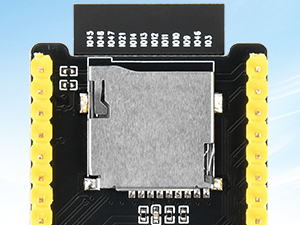
TF Card Holder
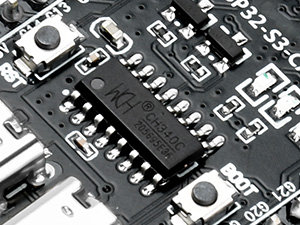
CH340C Chip
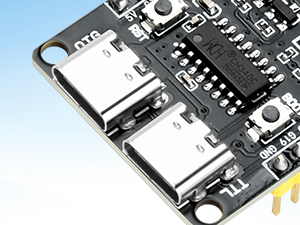
Dual Type-C Interface
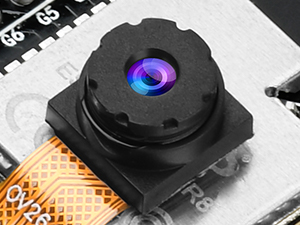
OV2640 Camera
Performance parameters:
| 1 | Support IEEE802.11b/g/n protocol |
| 2 | Support 20MHz and 40MHz bandwidth in 2.4GHz band |
| 3 | Support 1T1R mode, data rate up to 150Mbps |
| 4 | Wireless Multimedia (WMM) |
| 5 | Frame aggregation (TX/RX A-MPDU, TX/RX A-MSDU) |
| 6 | Immediate Block ACK |
| 7 | Fragmentation/defragmentation |
| 8 | Low power Bluetooth (BluetoothLE): Bluetooth5, Bluetooth Mesh |
| 9 | High power mode (20dBm) |
| 10 | Support rate 125Kbps, 500Kbps, 1Mbps, 2Mbps |
| 11 | Wi-Fi and Bluetooth coexist, sharing the same antenna |
| 12 | 32-bit LX7 dual-core processor, main frequency up to 240MHZ |
Package Includes
- 1 × ESP32-S3 CAM Development Board
![]() Example Code:
Example Code:
Explore more from our collection.


Reviews
There are no reviews yet.